Your first week with ResaleAI: a day-by-day roadmap
Modified on Wed, Jul 8 at 12:20 PM
Welcome to ResaleAI! It is normal to feel like there is a lot to learn. The good news: you do not have to do it all at once. This roadmap gives you a simple order to learn things in, so your first week feels manageable.
Keep the Glossary open in another tab for any unfamiliar words.
- 1
Day 1: Log in and run onboarding
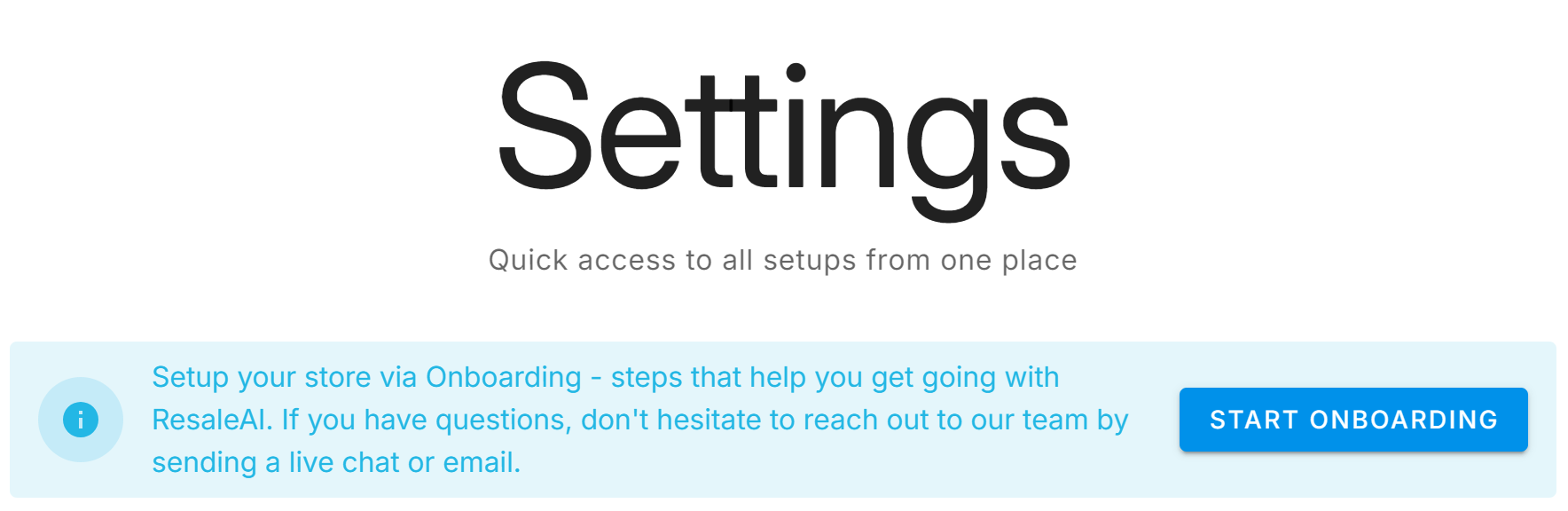
Log in at team.resaleai.com in a web browser such as Firefox or Chrome. Click the three dots in the top right of your dashboard and select All settings, then click the blue Start onboarding button at the top of the page. Follow the steps as they appear. Onboarding will help you connect the provider automations in Day 2 below.
- 2
Day 1 to 2: Set up your team
Before your staff can use ResaleAI, add them and give each person a PIN.
- 3
Day 2: Connect your preferred providers' automations
ResaleAI works alongside the tools you already use. Connect the ones that fit your store — and if a provider is not on your list yet, you can come back to any of these later.
- 4
Day 2 to 3: Check in your first buy and text your customers
This is the heart of ResaleAI. Practice with a real customer or a test run. Then set up your pre-written messages so your team can text customers their buy is ready without phone calls. (See Texting basics to get oriented.)
- 5
Day 3 to 4: Set your goals
New store? Set goals manually firstIf you are brand new and have not imported DRS history yet, set goals manually. Magic Goals will become available once you have sales history.
- 6
Day 4 to 5: Start using backstock
Get your behind-the-scenes inventory organized.
- 7
Day 5 to 7: Explore bounceback campaigns for future promotion
Bouncebacks bring customers back. Once the basics feel comfortable, try one. (See What is a bounceback? for the concept.)
Stuck at any point? Contact ResaleAI Support or watch our help videos.
Having trouble?
Click the support button at the bottom of the helpdesk or ResaleAI screen. We're happy to help!
Thanks for using ResaleAI!
Was this article helpful?
That’s Great!
Thank you for your feedback
Sorry! We couldn't be helpful
Thank you for your feedback
Feedback sent
We appreciate your effort and will try to fix the article